LR Auto Lock locks discussions that have gone quiet, so old threads stop collecting replies nobody is waiting for.
What it does
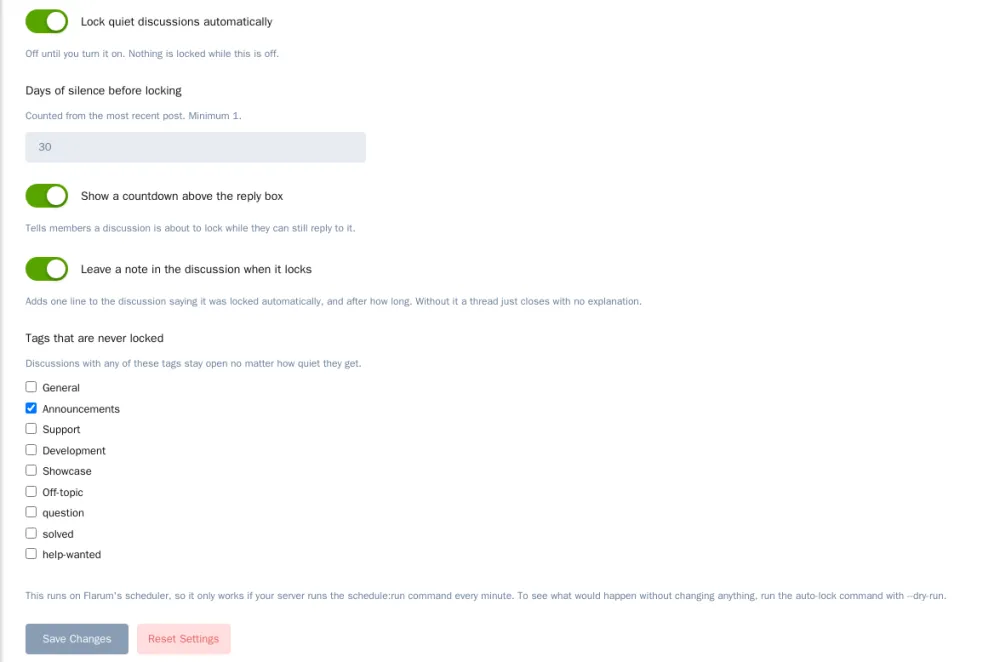
- Once an hour it locks every discussion whose latest post is older than the number of days you set (30 by default).
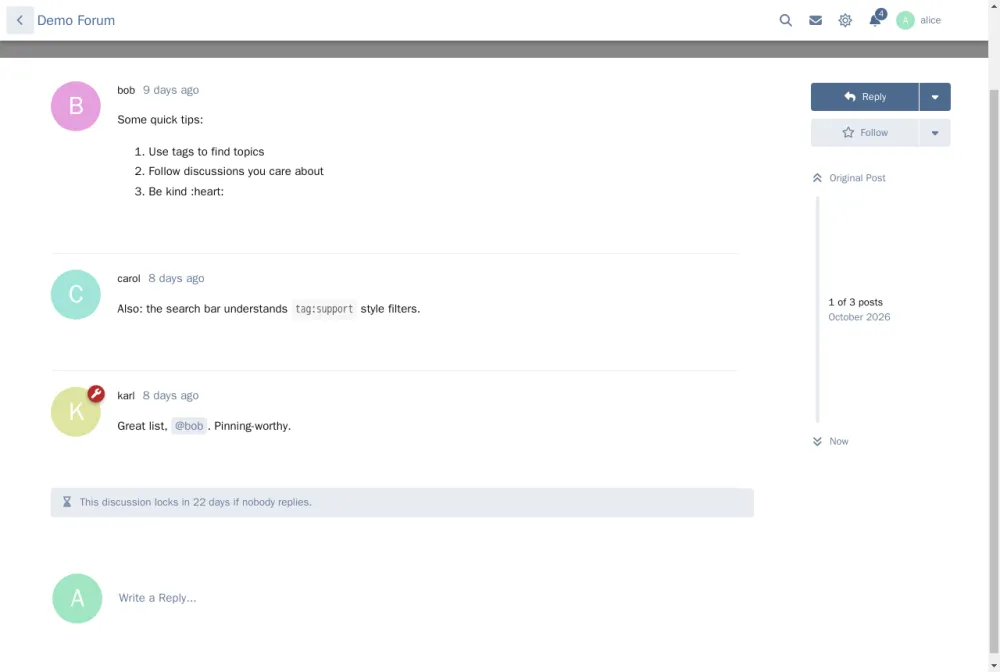
- While a discussion is still open, members see a countdown above the reply box. Replying resets the clock, so anyone who still cares can keep the thread alive instead of finding out it closed after the fact.
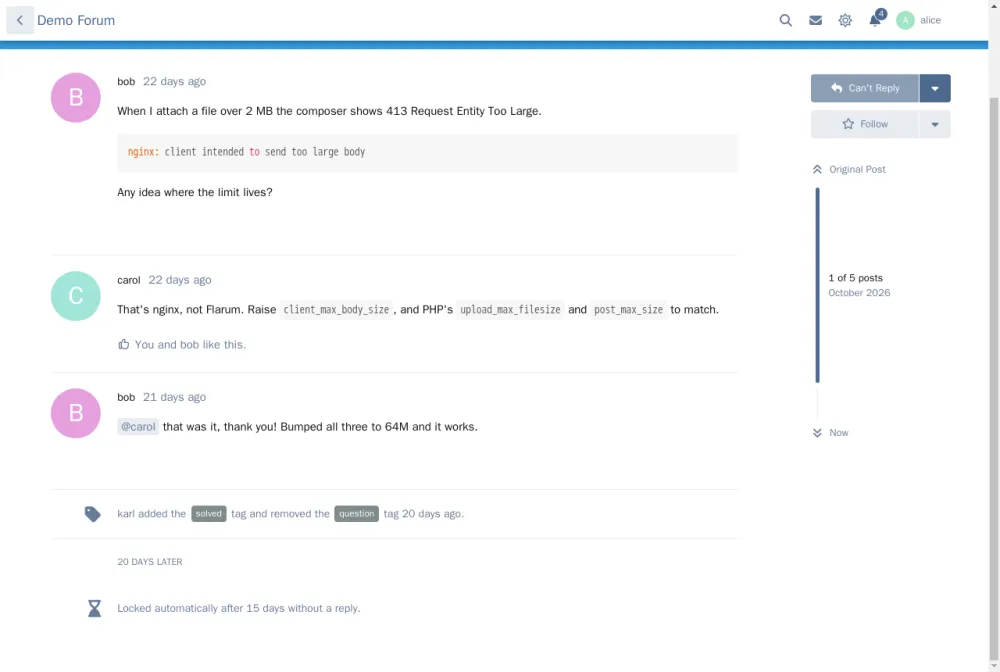
- When it locks a discussion it leaves one quiet line in the thread saying it was locked automatically, and after how long. It doesn't bump the discussion or notify anyone.
- Tags you pick are never locked, so announcements or a knowledge base can stay open forever.
What it doesn't do
- It never unlocks anything, and it leaves alone threads you already locked by hand.
- It doesn't delete, hide or archive discussions.
- It ships switched off, so enabling it won't lock your back catalog by surprise.
Before you turn it on
Run php flarum linkrobins:auto-lock --dry-run once. It tells you how many discussions the first real run would lock without touching anything. On an established forum that number can be big.
Locking isn't free, either. Old support threads get their value from the replies they collect over time, and search engines send people to them. I'd only turn this on once reviving old threads does more harm than good on your forum.
Requirements
- Flarum 2.0 or later, PHP 8.3+
flarum/lock enabled- A working scheduler (the usual
* * * * * cd /path/to/flarum && php flarum schedule:run cron entry). Without it nothing gets locked.
Install
composer require linkrobins/auto-lock
Then enable it under Admin, Extensions, and switch it on in its settings.
Source: https://github.com/linkrobins/auto-lock
Packagist: https://packagist.org/packages/linkrobins/auto-lock
Every release is posted below.