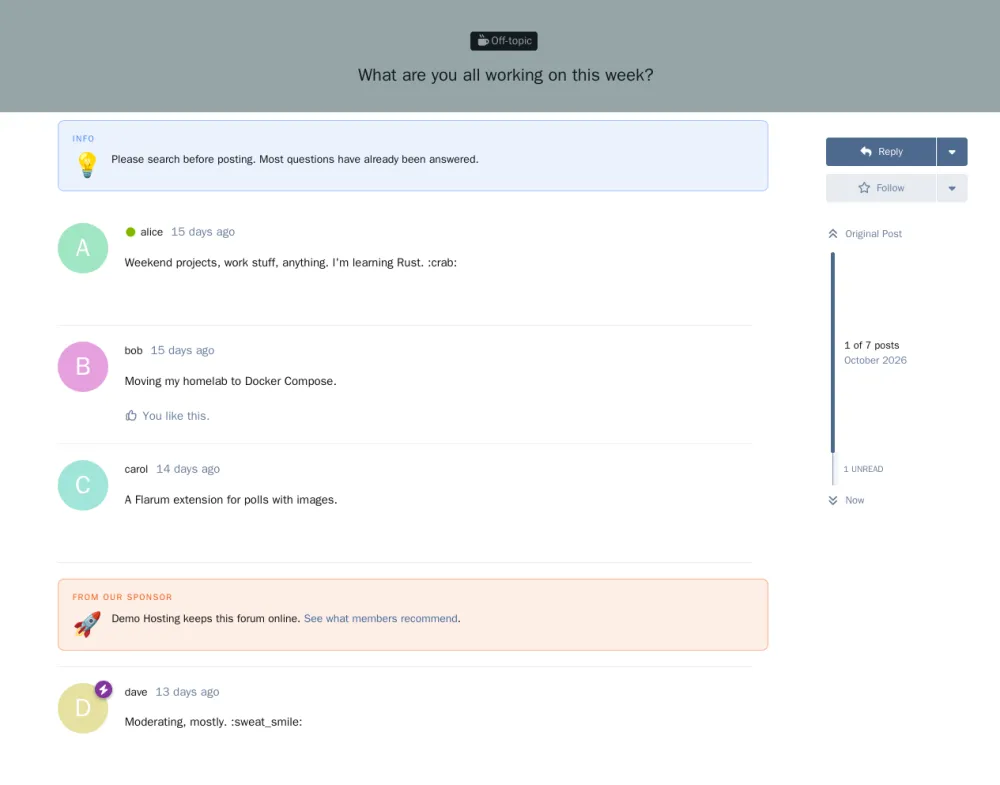
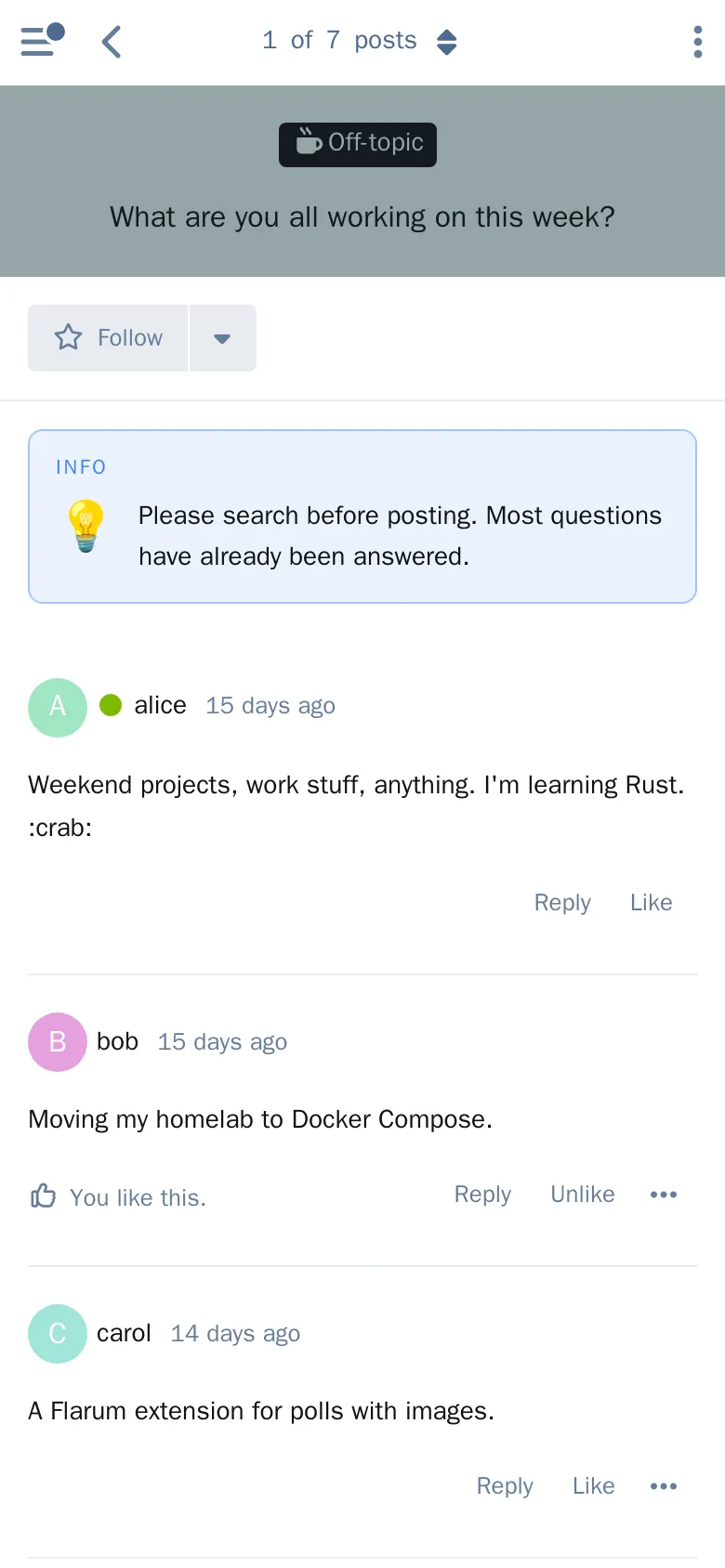
LR Banners (Discussion Banners) shows info banners on discussion pages: rules, tips, announcements, a sponsor slot, a nudge for guests to sign up. Add as many as you like.
What it does
Each banner goes in one of four places:
- Above the discussion, before the first post
- After the first post
- Below the discussion, after the last post
- Between posts, repeated every few posts
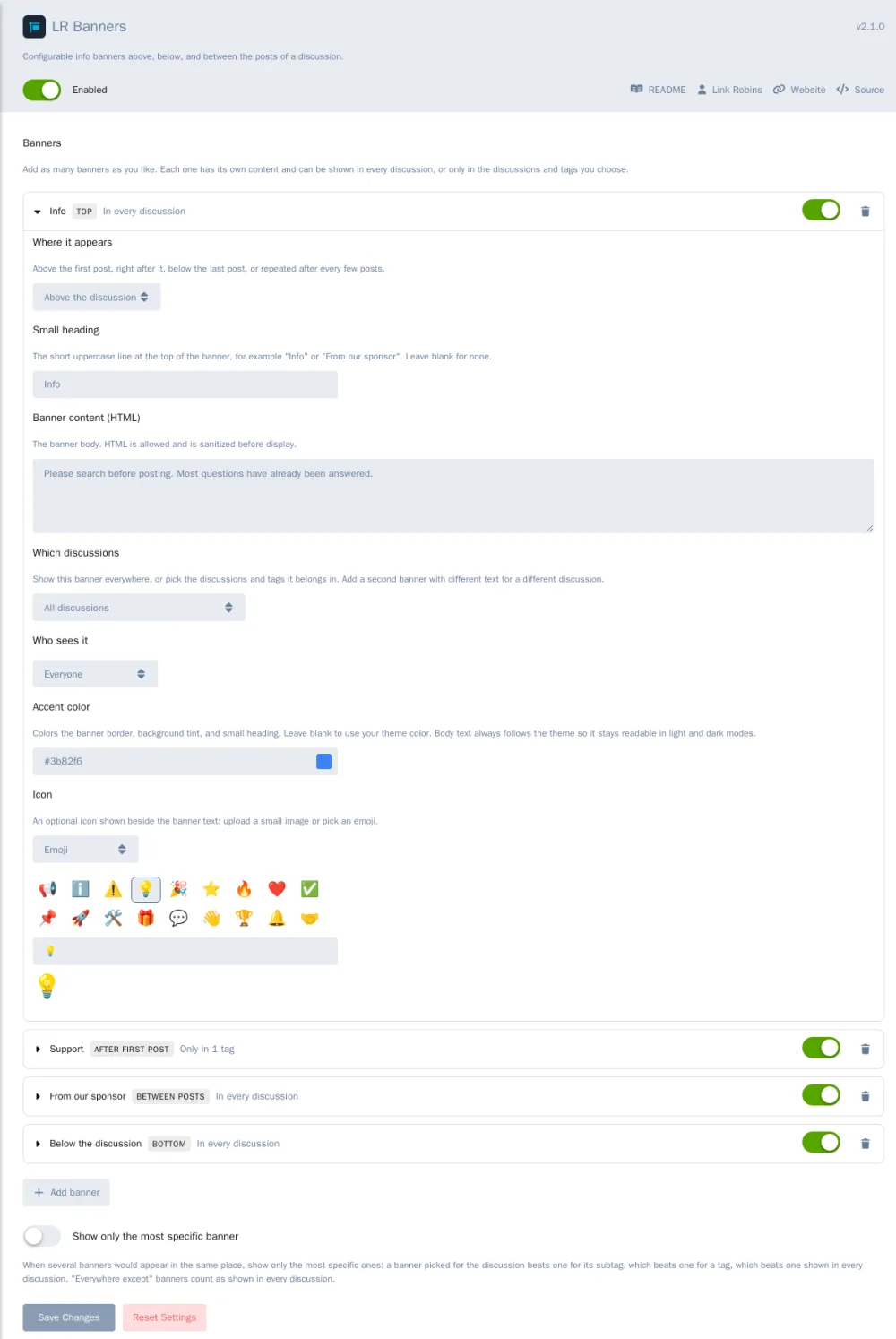
Every banner has its own on/off switch, an optional small heading ("Info", "From our sponsor"), HTML content, an optional icon (an uploaded image or an emoji), an accent color, and who sees it: everyone, guests only, or members only.
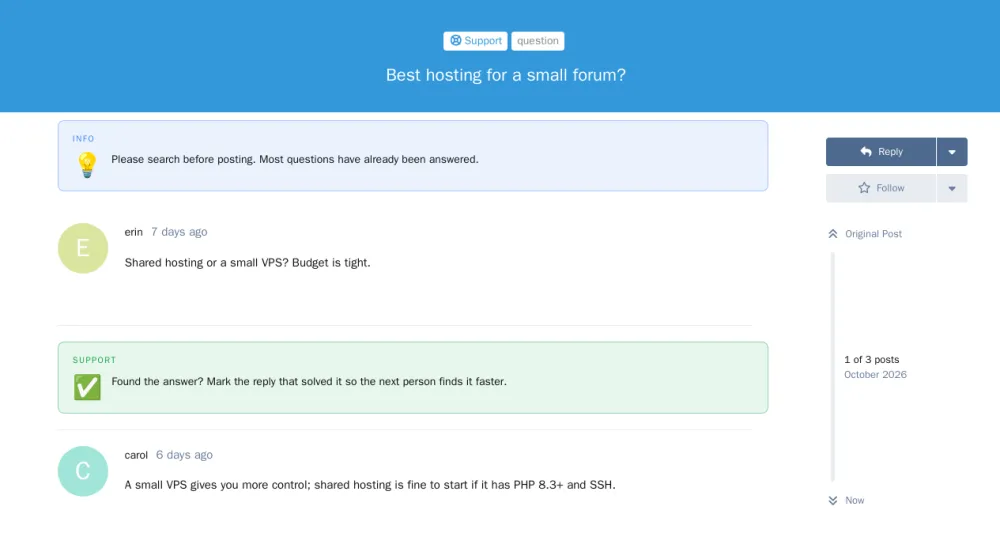
Pick where each banner shows
- In every discussion (the default)
- Only in discussions you choose, by searching for them, pasting a link, or by tag
- Everywhere except the ones you choose
So different discussions can show completely different notices. Turn on Show only the most specific banner and the closest match wins: a banner picked for one discussion beats one for its subtag, which beats one for a tag, which beats one shown everywhere. That lets you replace a general notice in one tag, or one discussion, without turning it off elsewhere.
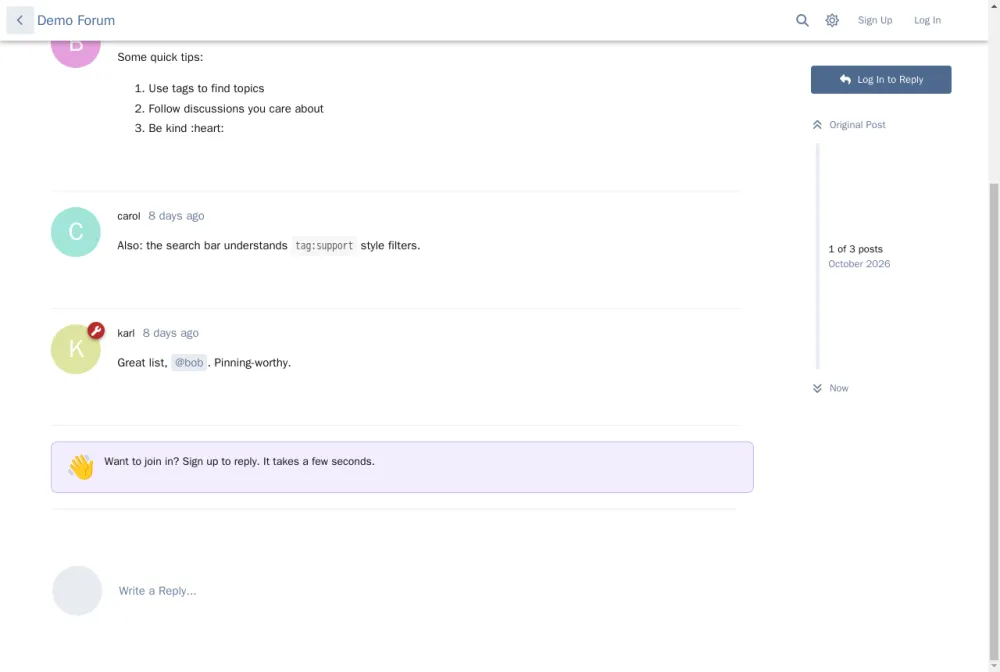
Targeting and visibility are both checked on the server. A banner meant for one discussion is never sent to someone reading another, and a members-only banner never reaches guests. Discussion lists carry no banner data at all.
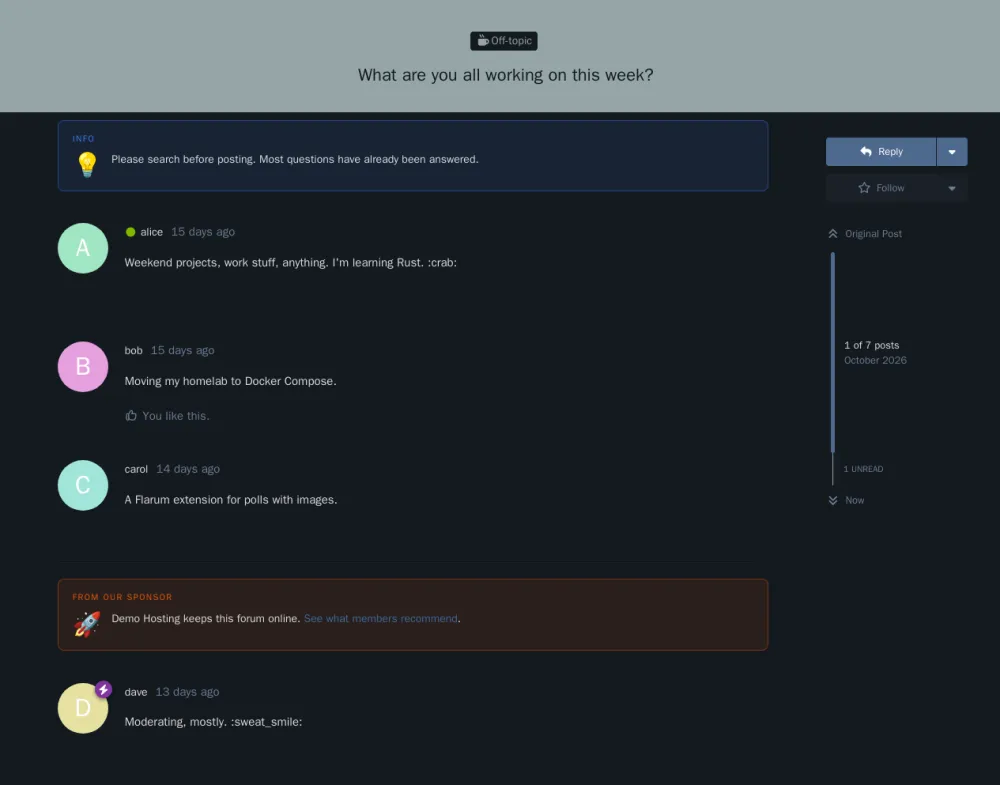
Banners follow your theme in light and dark mode, and the HTML is sanitized before it's shown. They also show on FoF Blog articles.
Requirements
- Flarum 2.0 or later, PHP 8.3+
- On Flarum 1.8, Composer installs the older 1.x line instead. It no longer gets updates.
Install
composer require linkrobins/discussion-banners
Then enable it under Admin, Extensions, and add your banners in its settings.
Source: https://github.com/linkrobins/flarum-discussion-banners
Packagist: https://packagist.org/packages/linkrobins/discussion-banners
Every release is posted below.